AI in medicine · 2026
Scrybe
An AI app on the hospital's Windows PC that reads a handwritten admission sheet and types it into MRM for the doctor to check and save.
- Role
- Programmer
- Years
- 2026
- Built with
- Python
- pywebview
- Windows automation
- Gemini
- Groq
- Postgres
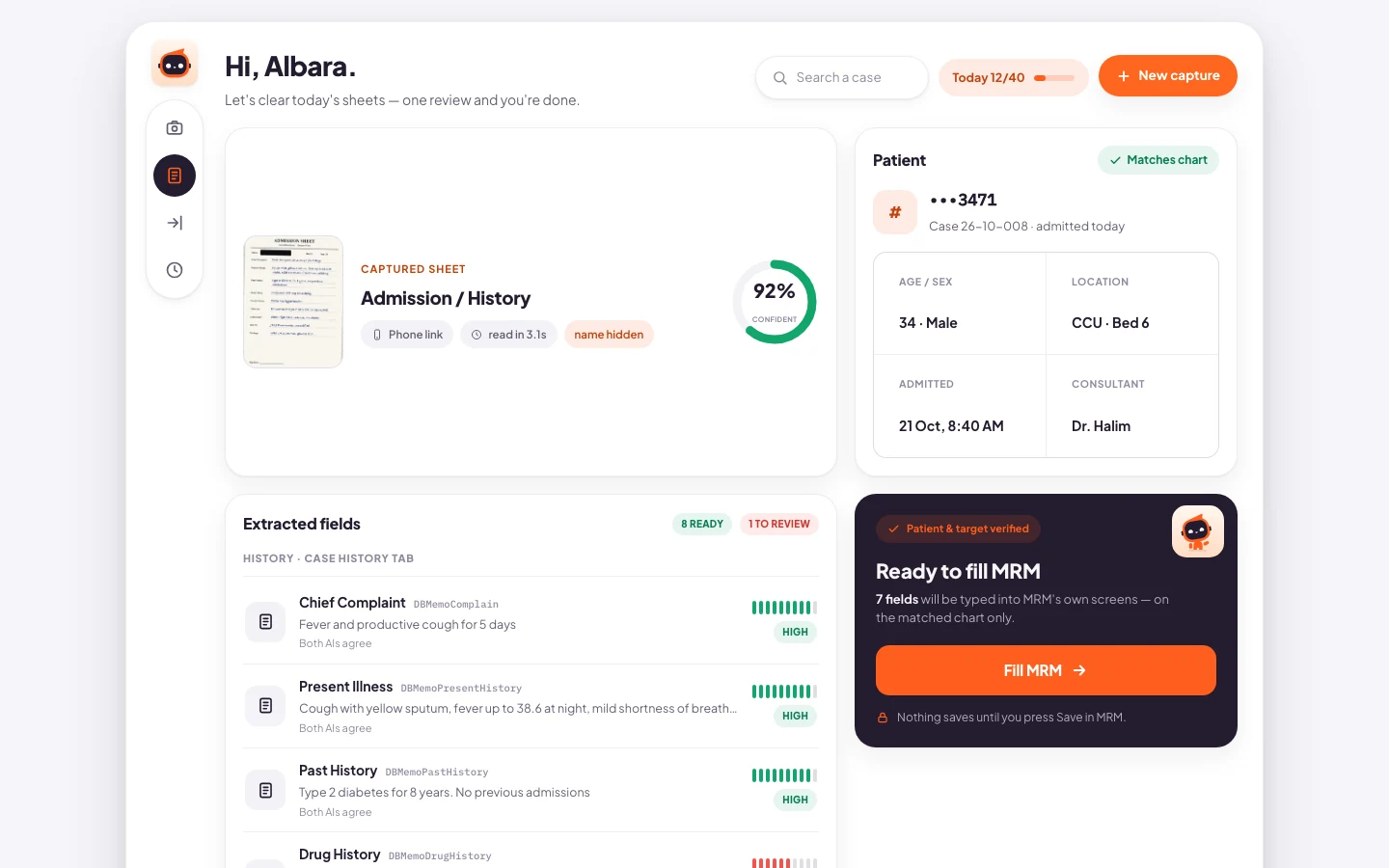
The review screen after Scrybe has read a sheet. Every detail on this one is made up.
01
The problem
On the wards we write the admission sheet by hand first. Later a doctor has to copy every line of it into MRM, the hospital's records system, and that is time spent at a keyboard instead of with patients. Copying by hand at two in the morning is also how mistakes get in.
02
What I built
I programmed Scrybe as a desktop app for the PC that already sits on the ward. You take a photo of the sheet with your phone and plug the phone in. Scrybe reads the handwriting, shows you what it found, and once you've checked it, it types each field into the MRM form for you. Saving the record is still your job.
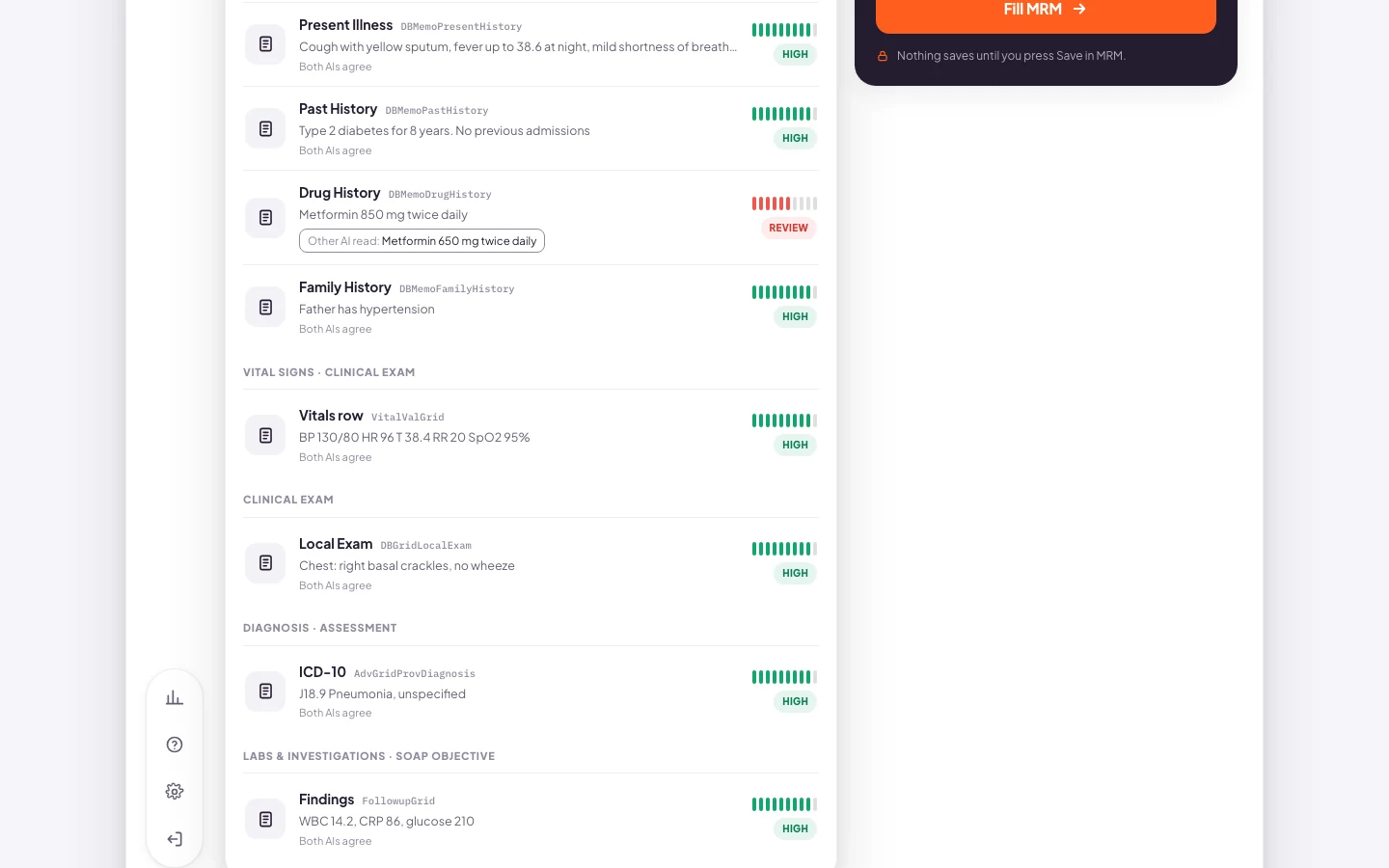
Where the two models read a field differently, the row turns red and shows both readings.
03
How it works
- The photo comes off the phone over USB, so it never passes through a chat app or a cloud folder.
- Before any model sees the page, Scrybe blacks out the patient's name. The name is never stored and never sent anywhere.
- Gemini and Groq both read the page, and neither of them sees what the other wrote. Then I line their answers up field by field.
- If both say the same thing, that field gets filled. If they disagree, the row is flagged and shows you both readings next to each other so you can choose.
- Nothing goes into MRM until the doctor has been through the whole form. Then Scrybe types it in, and the doctor still has to press Save.
- 01
Sheet
A phone photo of the handwritten sheet, pulled onto the PC over USB.
- 02
Mask
The patient's name is blacked out before any model reads the page.
- 03
Two models
GeminiGroq
Each one reads the page without seeing the other's answer.
- 04
Disagreement
Where the readings differ, the row is flagged and shows both.
- 05
Doctor review
The doctor goes through every field and picks the right reading.
- 06
MRM
Scrybe types the fields in. The doctor presses Save.
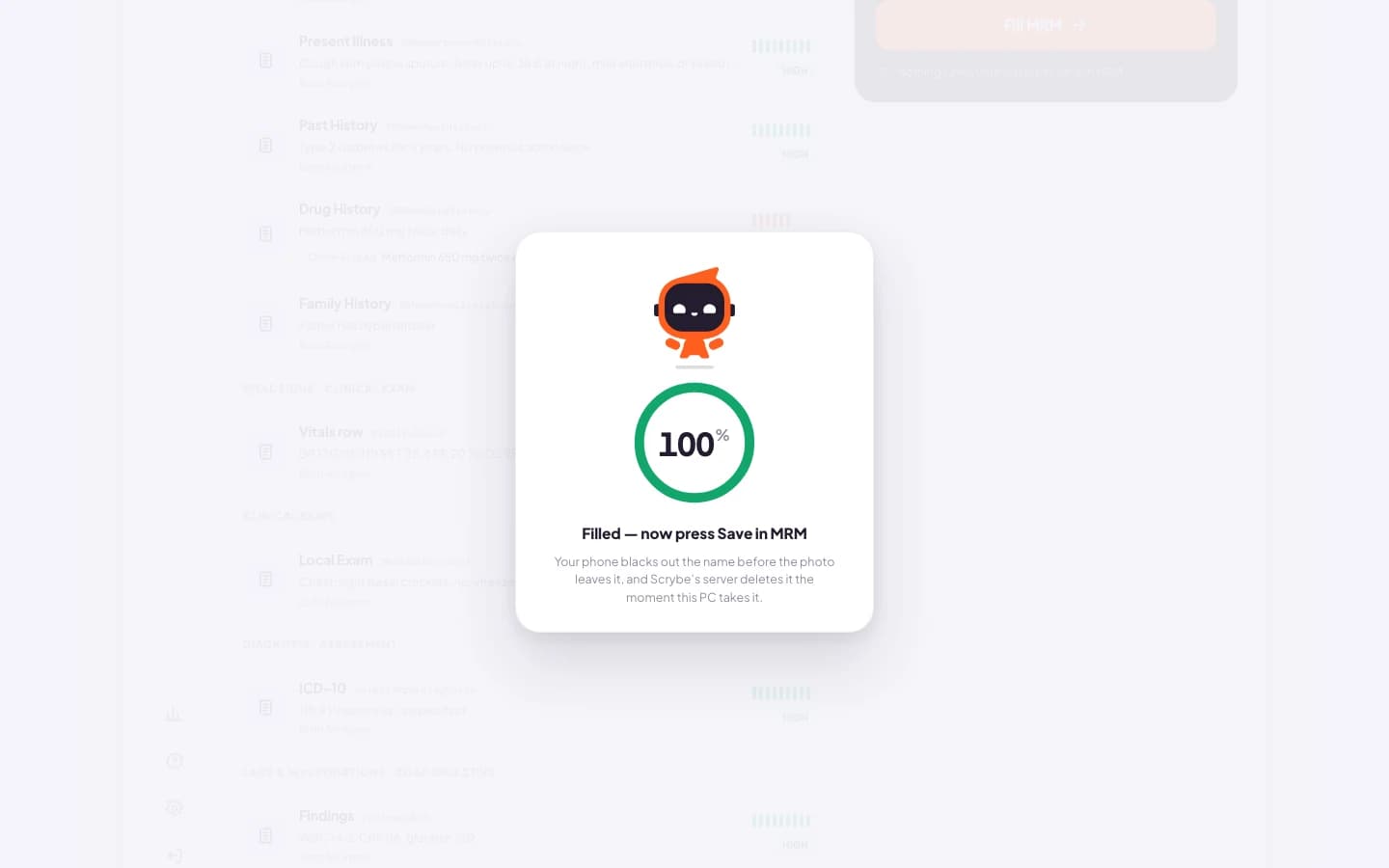
Once the form is filled, Scrybe tells the doctor to press Save in MRM.
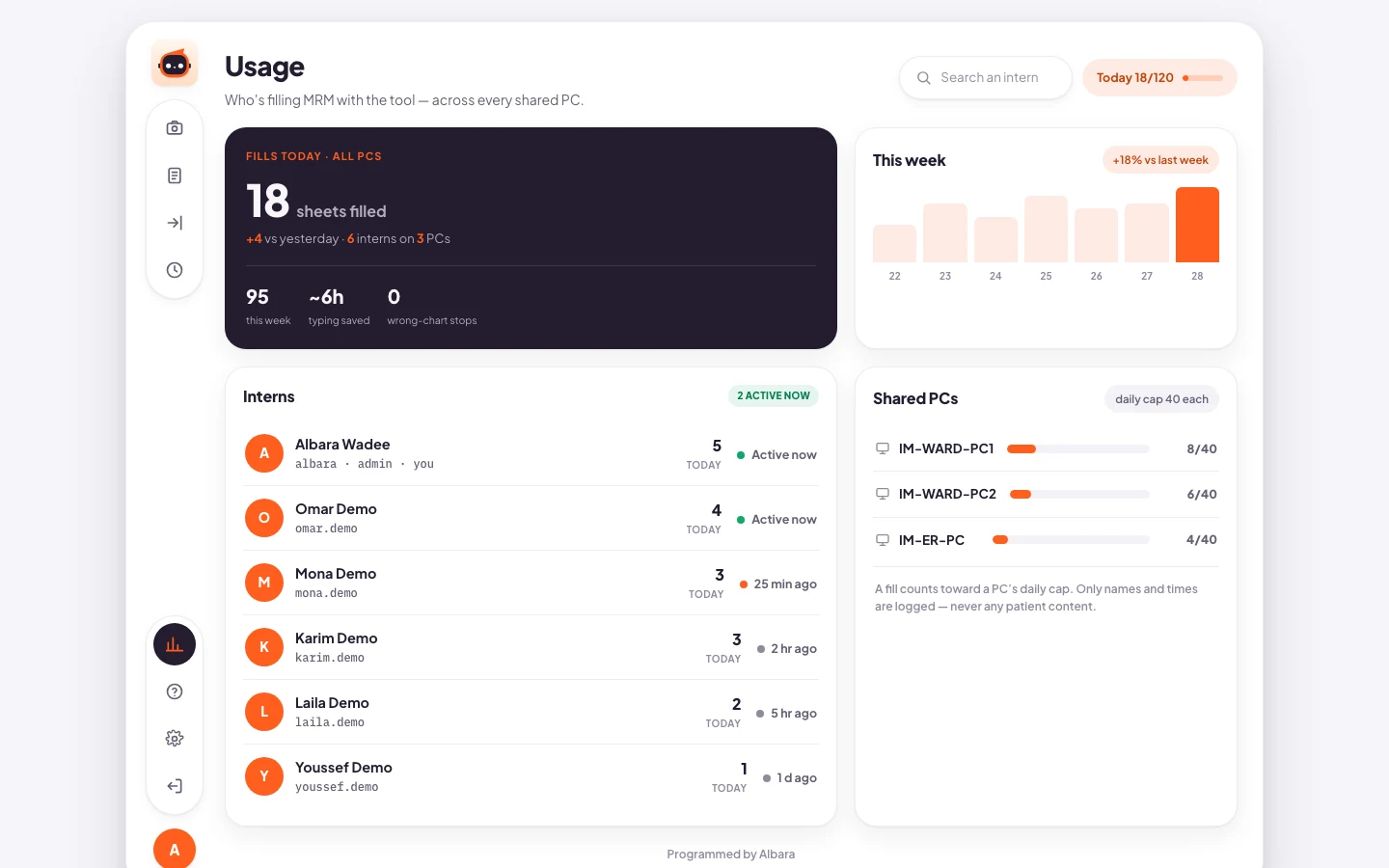
The admin's usage panel, shown here with made-up numbers.
04
What it changed
- 2
- Every sheet gets read twice, by two different models.
- 0
- Patient names kept or sent anywhere. The mask goes on before anything leaves the PC.
- 0
- API keys saved on the hospital PC.
- Windows 7 and 10+
- I push a change and both builds come out on their own.